You make a story
Scenes, choices, and a clock if you want one. A moment worth stepping into.
The end-to-end platform for enterprises to create interactive stories, manage learning, and host virtual classrooms, with built-in analytics.
By Røde Kors International
You're an aid worker caring for a patient. A soldier stands at the ambulance doors, with his superior in the background. Try a short demo adapted from If War Comes to You, then see what your choice tells the storyteller.
A story worth doing gives something to the person in it. And gives something back to the person who made it.
Decisions sit inside the scene, not in a quiz after it.
Live the same moment as a civilian, a soldier or an aid worker.
Add a clock when judgement under time is the point. Hesitation counts.
Ask people why. Their words travel back with their choices.
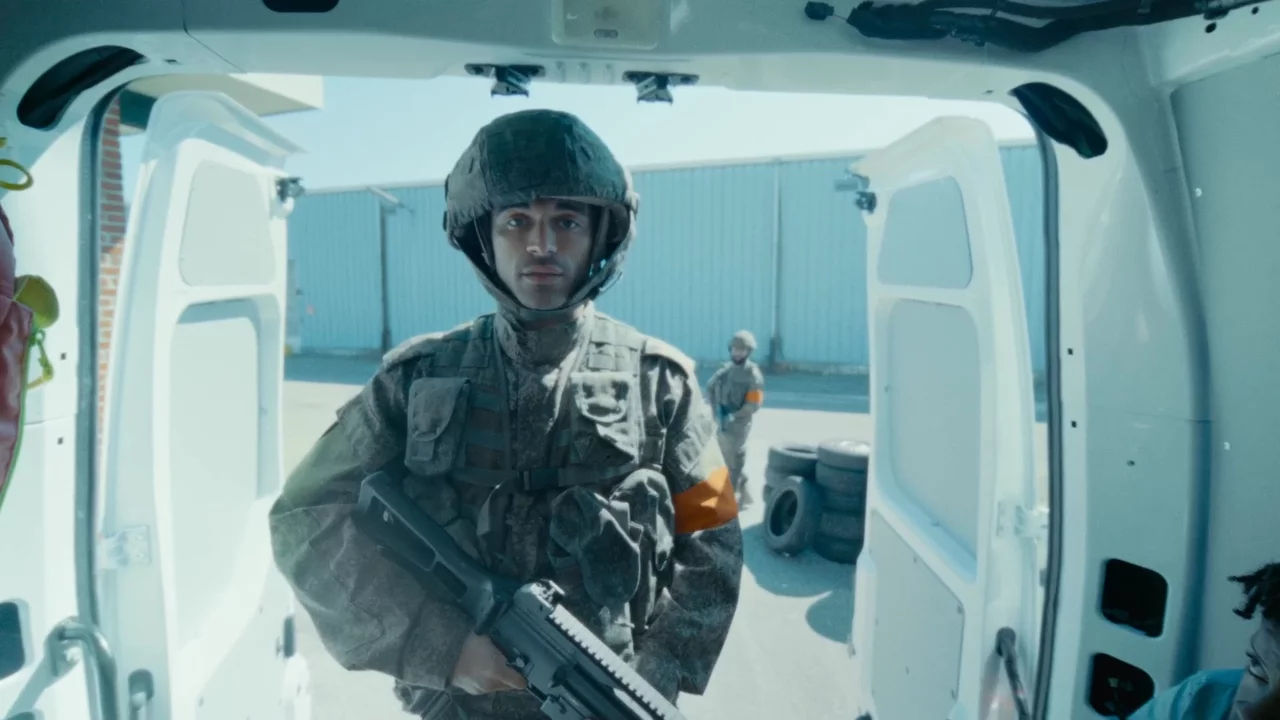
A soldier confronts you at the ambulance. How do you respond?
Sample reflection
Why did you address his superior?
“I thought his superior might listen. I wanted to get back to the patient.”
Viewers
0
in this cohort
Reached an ending
0%
completion
Median decision
0.0s
At the ambulance
Where the room split
Aid worker · At the ambulance
Where people paused
median seconds
In their own words
“I thought his superior might listen. I wanted to get back to the patient.”
Viewer 118 · chose Address his superior
“I was weighing up who to speak to, and the time ran out.”
Viewer 274 · didn't decide
Sample cohort and reflections for this demo.
You did not just publish a story. You watched a few hundred people decide. See where the room split, where they paused, and where they changed their mind. Then bring it to the debrief, the boardroom, or the next draft.
See which choices people made, and where a group divided.
Timing shows the moments that were genuinely hard to call.
Follow the paths people took from the first scene to the last.
Reflections arrive next to the decisions they explain.
Simple to start, sophisticated to ship. A first story in an afternoon. A better one every time the results come back.
Lay out scenes, decisions and endings on one canvas. It stays readable as it grows.
Add video, place choices on the frame, set the pace. No new grammar to learn.
Publish a link. It works in a classroom, a workshop, or on a phone on the bus.
Watch the decisions come in and read what they mean. Then make the next one better.
If War Comes to You
An adapted story example. Select a node to explore.
Your words appear on the canvas. Pick a choice to follow its route.
Enterprises, organisations and storytellers use Butterfly to give their audience something worth doing. And to learn from what they did.
Enterprises
Compliance, leadership, safety. Let people rehearse the hard moment before it is real, and see what they would actually do.
Organisations
Public bodies, NGOs and educators reach people with stories that matter, and learn how they respond. Not just how many watched.
Storytellers
Journalists and filmmakers give viewers a role in the story, then see exactly how it landed.
Let's build a story your audience will do. And learn from what they did.